
Have you ever had a perfect digital template for a kitchen island—every mitered edge and sink cutout planned to the millimeter—only to realize that the slab you "nested" it on in your software was actually sold to another customer three days ago?
Or perhaps you have the most advanced CNC saw in the state, but you’re still using a handwritten notebook to track how much you actually paid for the material?
In the stone industry, we love our technology. We invest hundreds of thousands of dollars into digital templating and CAD/CAM systems. And we should! They ensure the countertop fits perfectly every time.
‼️But there is a trap that many successful shops fall into: Confusing Fabrication with Management.
To run a profitable shop in 2026, you need to understand where the drawing ends and the business begins.
1. What exactly is CAD?
Before we dive into the comparison, let’s define the players.
CAD stands for Computer-Aided Design. In the stone industry, these are the specialized programs your shop uses to create technical drawings, digital templates, and fabrication paths for your machinery.
If your shop uses a CNC saw, a waterjet, or a digital templating arm, you likely know or have used one of these industry standards:
AlphaCAM: A leading CAM solution for wood, stone, and metal.
AutoCAD: The "grandfather" of design software used for general architectural drafting.
EasyStone: A powerful CAD/CAM software specifically for CNC stone centers.
Slabsmith: Often used for digital slab photography and visual nesting.
These programs are brilliant. They allow you to show a customer exactly how a vein will flow or tell your saw exactly where to move to avoid a crack.
💡But—and this is the crucial part—most of these are stand-alone fabrication tools, not business tools.
2. SlabWare: The Drawing Tool That Speaks "CNC"
One of the biggest misconceptions in the industry is that you must have a separate, expensive CAD license to get your drawings to the saw.
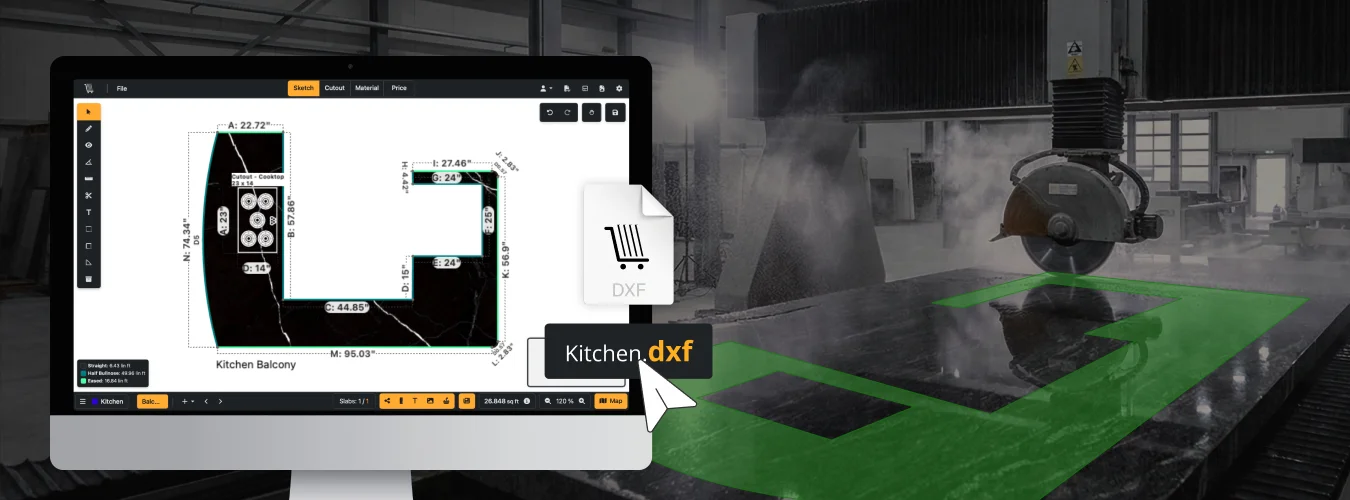
SlabWare has its own Drawing Tool. Unlike generic management software, SlabWare was built with the fabrication floor in mind.
You can create your digital templates and designs directly within the system.
💡But the real magic happens at the machine: SlabWare connects seamlessly with your CNC machines using DXF files.
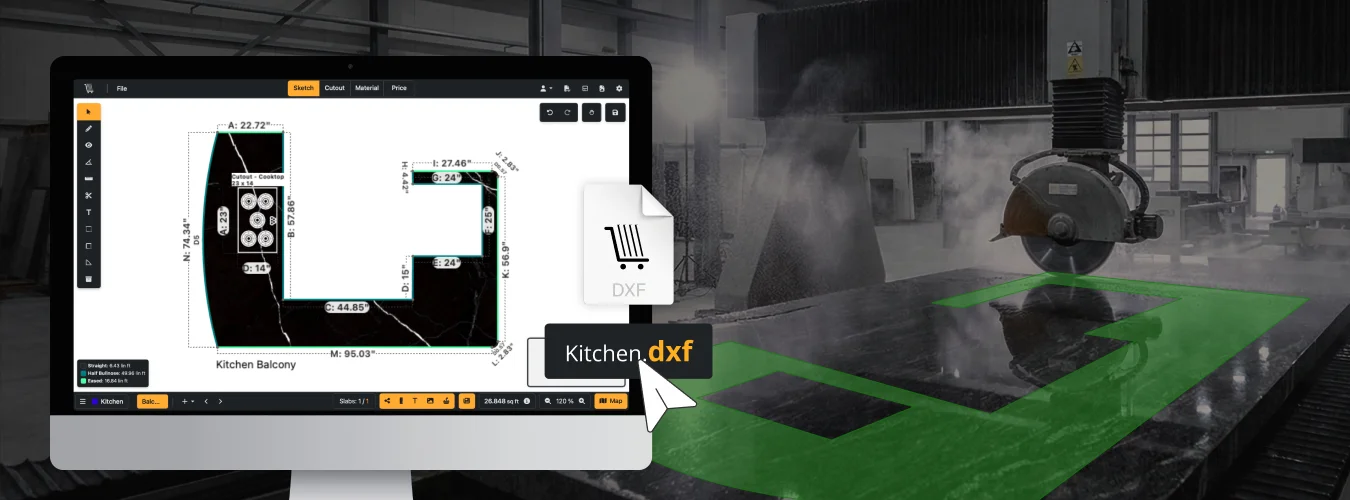
This means you can go from a sales quote to a technical drawing, and then export that file directly to your saw.
💡You aren't just managing the inventory; you are creating the very instructions the machine needs to work.
It eliminates the need to jump between three different programs just to get a sink cutout right. And as we’ve explained in this blog post, the more integration you have and the more steps you skip, fewer are the chances of costly mistakes to happen.
3. The "Silo" Problem: CAD Sees Pixels, Not Profits
The fundamental difference between a stand-alone CAD and SlabWare is what they "see" when they look at a slab.
Generic CAD (The Fabricator’s Eyes): It looks at a slab and sees a 2D surface. It sees length, width, and "dead zones." It is a technical tool designed to turn a slab into a finished product.
SlabWare (The Owner’s Eyes): It looks at a slab and sees an Asset. It sees the Landed Cost, the supplier's history, the sales lead attached to it, and the potential profit margin.
The Crisis: When these two systems don't talk to each other, you create "Data Silos." Your production team knows how to cut the stone, but your sales team doesn't know if the stone is available.
If you want to know more about Siloed systems and how the SUCK YOUR MONEY, check our this blog post.
4. Inventory Management: The "Ghost in the Machine"
One of the biggest concerns for stone businesses right now is Inventory Accuracy. In a CAD-Only System: Most CAD software allows you to upload a photo to "nest" your drawings. But CAD doesn't track "State." It doesn't know if that slab is reserved, sold, or on hold for a designer who is notorious for changing their mind.
‼️You end up with a "Ghost in the Machine"—a digital drawing attached to a slab that no longer exists in the physical yard.
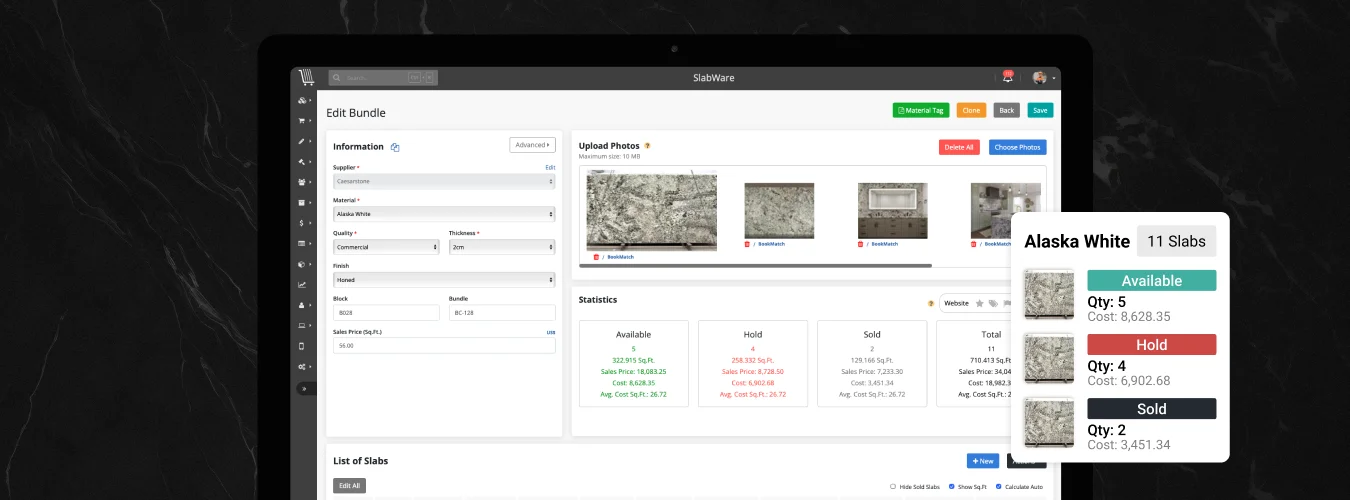
In SlabWare: Inventory is the heartbeat. Every slab has a life cycle.
Coming Soon: Tracks the container and landed cost.
Available: Automatically pushed to your Online Shop.
Reserved: Linked to a specific customer and quote.
Sold: Removed from availability but still tracked for valuation.
5. The Remnant Mystery: Where Profit Goes to Die
As we’ve discussed in our guide to Reverse Logistics, remnants are the secret to a high profit margin.
The CAD Cycle: A fabricator nests a job. The software saves that "remnant" as a file on a local computer.
‼️The salesperson in the front office has no idea it exists, and the customer certainly can't see it on your website.
The SlabWare Cycle: The moment a job is finalized, SlabWare allows you to "split" the slab. The used portion goes to COGS (Cost of Goods Sold), and the Remnant becomes a new inventory item with its own QR code and photo.
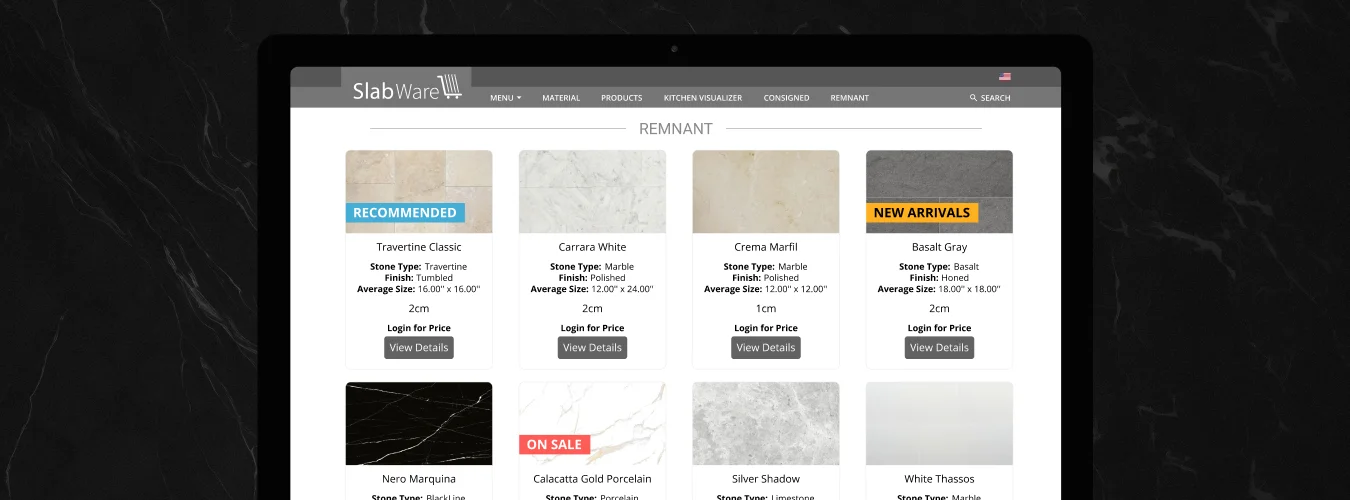
Because SlabWare handles the drawing and the inventory, that remnant is visible to your sales team the second the saw finishes the cut.
And more: that remnant is also shown to your customers on your website - totally included on your SlabWare.
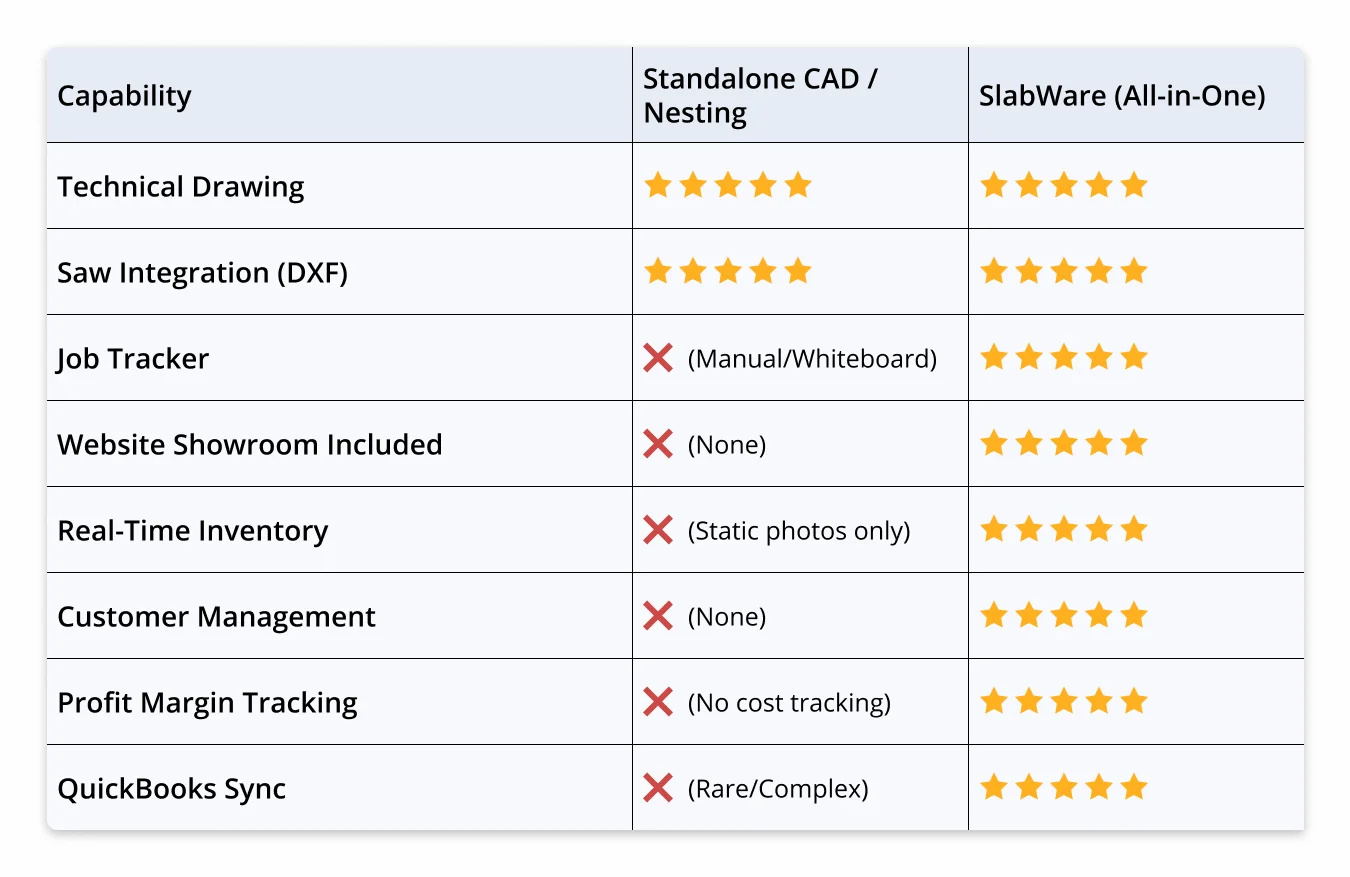
6. Feature Comparison: The All-In-One Powerhouse
Here is how SlabWare stacks up against using a standalone CAD system without a management layer
7. The "Busy Fool": Why is your shop losing money
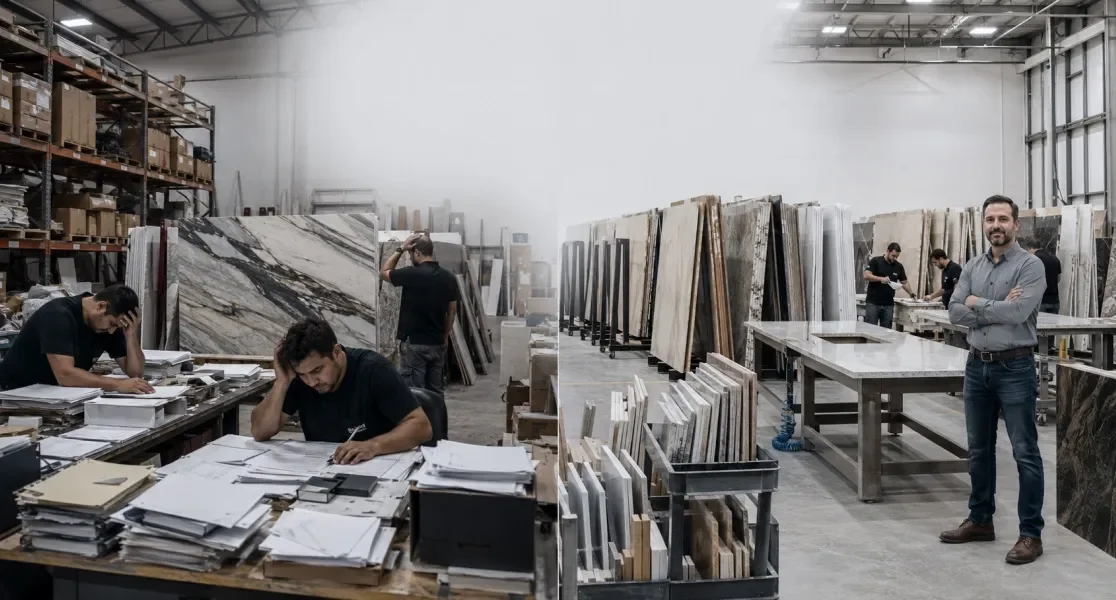
We’ve all seen the "Busy Fool." This is the shop owner whose saw is running 10 hours a day, whose CAD designer is a wizard, and whose shop is full of dust and activity.
Yet, at the end of the year, there’s no cash in the bank.
Why?
💡Because they are optimized for Fabrication but not for Profit.
They are losing 15% of their margin to un-tracked remnants. They are losing 10% to "Ghost Inventory" that was broken but never written off. They are guessing at their prices because their drawing software doesn't know the difference between a $500 slab and a $1,500 slab.
SlabWare is the cure for the "Busy Fool." It provides the business intelligence that standalone CAD systems ignore, while still giving you the tools to command your CNC.
8. Conclusion: One Tool to Rule the Shop
There is an old saying in the industry:
💡"You don't get paid for the stone you cut; you get paid for the stone you sell."
Until now, you needed one tool for the sale and another for the cut.
SlabWare has changed the game.
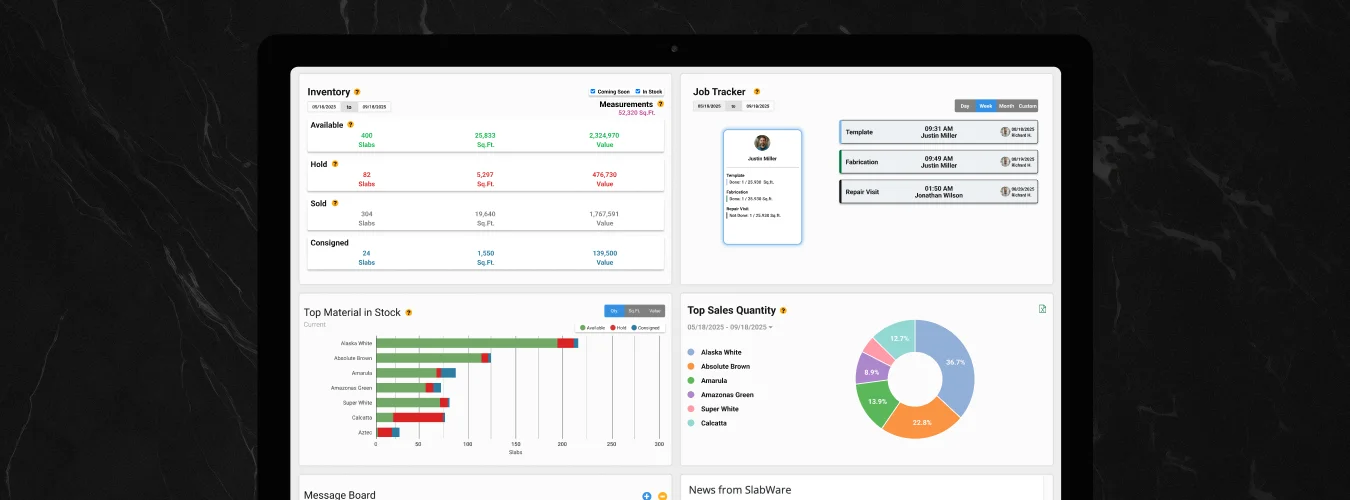
By combining a powerful Drawing Tool with an industry-leading Inventory CRM, a production-focused Job Tracker, a built-in Online Showroom, with other powerful shop management features, we’ve created the only system that manages your stone from the moment it leaves the container to the moment it’s installed in a kitchen.
As you look at your goals for the rest of 2026, ask yourself: Am I managing my shop, or am I just managing my saw?
"SlabWare is the easiest and most complete tool to manage your stone inventory—and it has been designed specifically FOR the stone industry."
Don't let your profit get lost in a drawing file. Try SlabWare for free now or contact our team at info@slabware.com to see how we can make your business as precise as your cuts.
Keep reading